
How Have I Been Pwned API Uses k-Anonymity to Check Passwords Privately
Sameera Madushan / August 24, 2025
In today’s digital world, passwords are constantly at risk. With millions of credentials exposed in data breaches every year, knowing whether your password has been compromised is more important than ever.
Searching through these records to check if your password has been exposed is virtually impossible, which is where the Have I Been Pwned service comes in. It uses a clever method called k-Anonymity, allowing you to safely check whether your passwords have appeared in a data leak without ever revealing them.
The Have I Been Pwned service provides an API that we can use. Let’s take a closer look at how this API actually works.
How the API Works Behind the Scenes
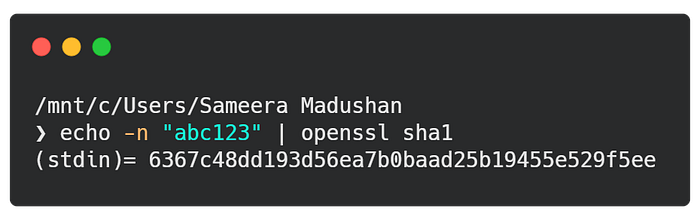
Let’s say the password we use to log into one of our online accounts is abc123. First, we need to generate the SHA-1 hash of this password. We’ll call this hash the “original hash.”
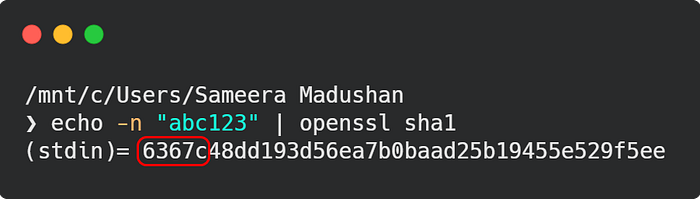
Next, we take the first five characters of the original hash.
Next we send those five characters to the API using a GET request.
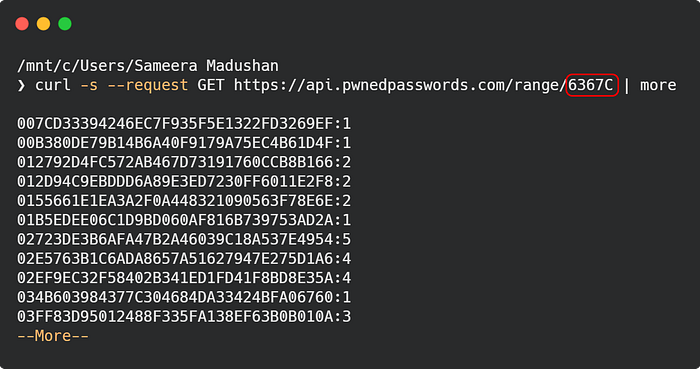
The API responds with all the suffixes of hashes that start with the specified prefix. Here, prefix refers to the first five characters of the SHA-1 hash, and suffix refers to the remaining 35 characters.

Now we loop through the entire suffix list, appending the prefix to each suffix.
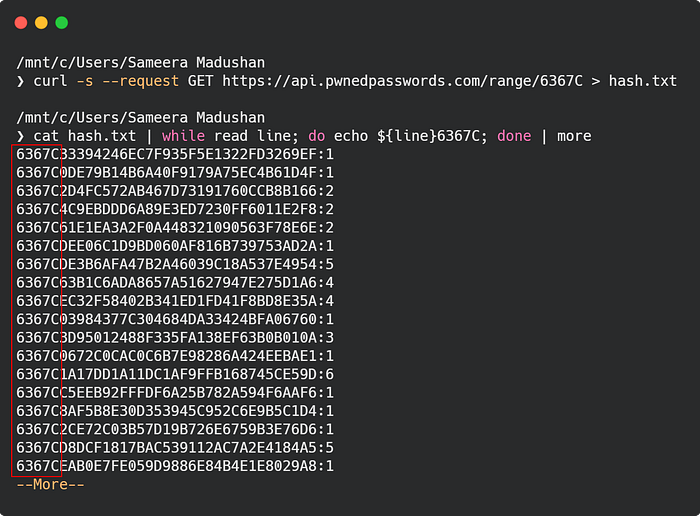
Finally, we check for a match using this condition:
Hash = Prefix + Suffix
if Hash == Original Hash
If a hash matches the original hash, it means the password exists in the dataset. In other words, your password has been compromised.
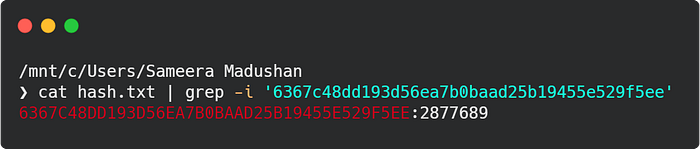
Here’s a flowchart illustrating how the API works behind the scenes.
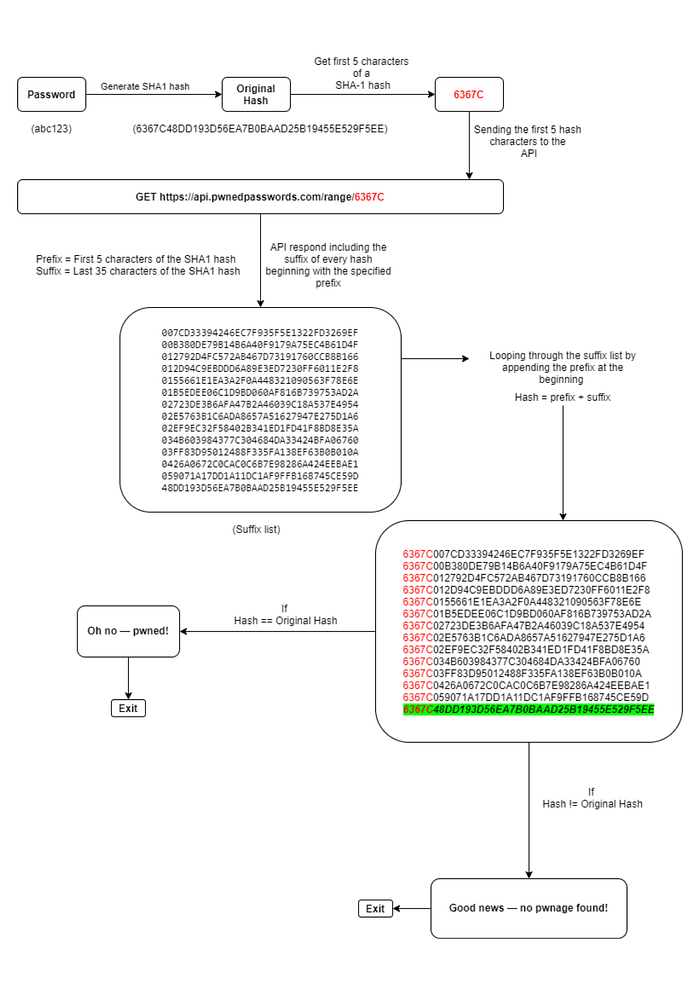
This is how the Have I Been Pwned API works behind the scenes. It keeps your password completely anonymous while still checking if it appears in any publicly available leaked datasets.
This logic can be translated into a Python script. The script looks like this:
import hashlib
import requests

def check_leak(password):
    # Convert the password into SHA-1 hash (required by Have I Been Pwned API)
    SHA1 = hashlib.sha1(password.encode('utf-8'))
    hash_string = SHA1.hexdigest().upper()

    # First 5 characters of the SHA-1 hash (prefix)
    prefix = hash_string[0:5]

    # User-Agent header is required by HIBP API
    headers = {'User-Agent': 'password checker'}

    # API endpoint: send only the prefix to the HIBP range API
    url = f"https://api.pwnedpasswords.com/range/{prefix}"

    # Send request to the API
    response = requests.get(url, headers=headers).text

    # The API returns many hashes with the same prefix in the form: HASH_SUFFIX:COUNT
    hashes = response.splitlines()

    # Extract only the suffix part (ignore count for now)
    hash_list = [line.split(":")[0] for line in hashes]

    # Compare the full hash with each hash from API results
    for suffix in hash_list:
        real_hash = prefix + suffix  # Full hash = prefix + suffix
        if hash_string == real_hash:
            print("\nOh no — pwned!")
            print(f"'{password}' has previously appeared in a data breach and should never be used.")
            break
    else:
        # Runs only if the loop completes without 'break' (no match found)
        print("\nGood news — no pwnage found!")
        print(f"'{password}' wasn't found in any of the Pwned Passwords loaded into Have I Been Pwned.")


if __name__ == "__main__":
    # Ask the user to enter a password (interactive input)
    pwd = input("Enter a password to check: ")

    # Only run check if the user actually entered something
    if pwd.strip():
        check_leak(pwd)
    else:
        print("No password entered.")
Now that you understand how the Have I Been Pwned API works and how to use it with Python, you can easily check your own passwords and even integrate this logic into your projects. Stay vigilant, update weak or compromised passwords, and take control of your online security.